 Web HostingCost-effective shared hosting solutions
 Reseller HostingStart your own hosting business without tech hustle
 Affiliate ProgramEarn commission by referring customers to our platforms
 cPanel HostingHosting powered by cPanel (Mostly user friendly)
 Windows HostingOptimized for windows based-applications and sites
 Domain SearchFind and register available domain names in seconds
 Email HostingProfessional email hosting for your domain (Secure, reliable, and easy to manage)
 WordPress HostingLightning-Fast, Optimized WordPress Hosting
 All DomainsExplore and register domain extensions across the world
 PH DomainsBuy trusted .ph domains tailored for Philippines businesses and individuals
 Domain Transfermove your domain to us with zero downtime and full control
 Whois LookupLook up domain ownership, expiry dates and registrar information
 SSL CertificatesSecure your website with trusted SSL Certificates for data protection and customer trust.
 .com DomainSecure the most recognized domain for global credibility
 VPS HostingScalable virtual servers. Full root access. Faster speed.
 Managed VPSNot a tech expert? Choose our fully managed VPS server.
 Dedicated ServersGet the full power and complete control of your own physical server.
 AI Websites BuilderCreate beautiful websites instantly with AI.
 Online Shop BuilderBuild a professional online shop. No coding required.
 Web Design ServiceGet a custom-designed website tailored to your brand and goals.
 BlogExplore guides on web hosting, online business, digital marketing, and more
 Contact UsReach us anytime by chat or email
 SupportFind answers and guides for all our services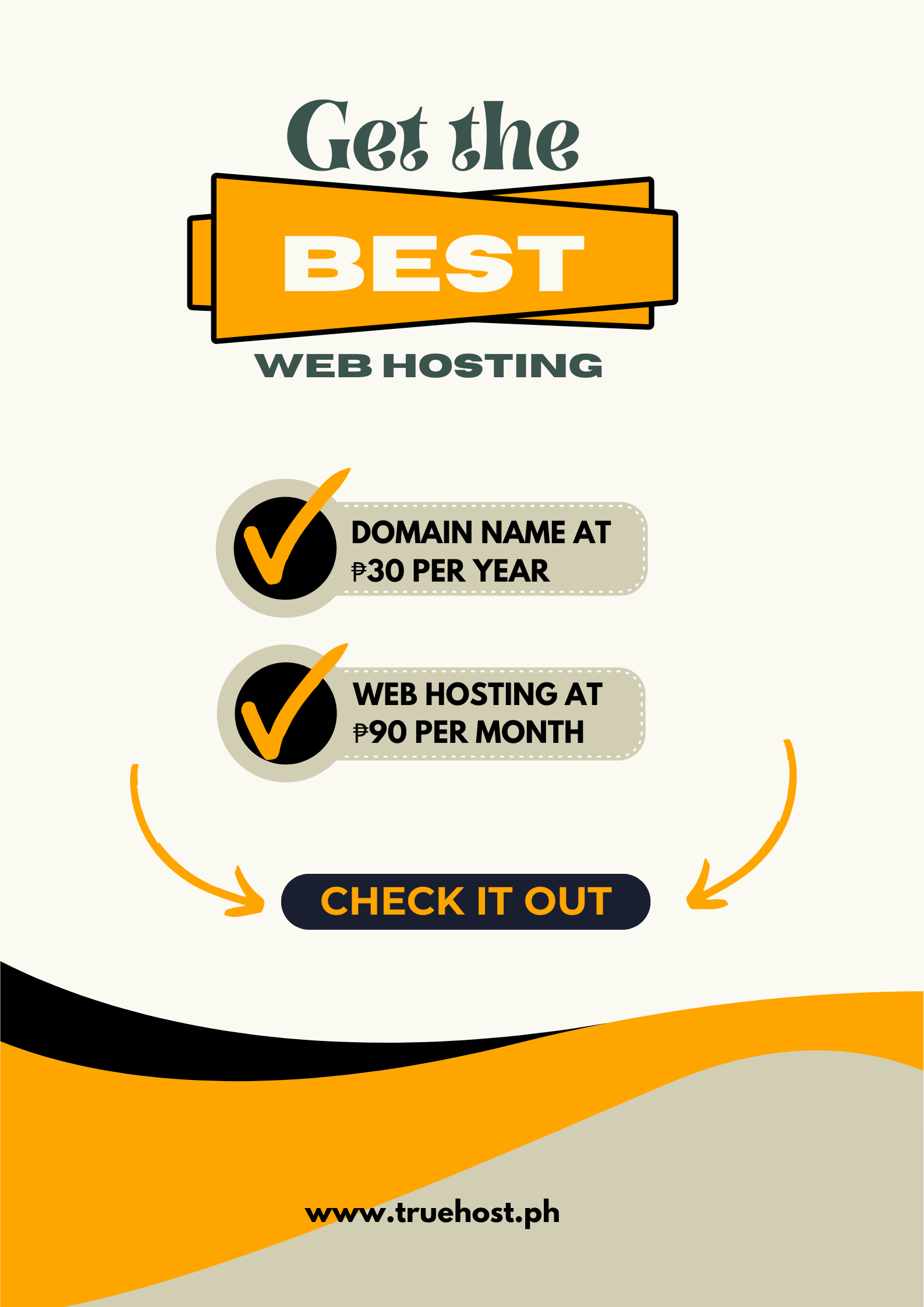
Your first online sale just came through. ₱1,250 for the handmade jewelry you’ve been promoting on Instagram for months.
You are refreshing your email, checking if the payment notification really happened.
Then you try to visit your store to confirm the order but the site won’t load. You wait, refresh but there is still nothing.
Your customer messages:
Hi, I can’t complete the checkout. Is your site working?
That sale you’ve been waiting for? Gone.
I tested ecommerce hosting from a Filipino store owner’s perspective. That means checking if payment gateways like PayMongo and GCash actually work smoothly.
Testing whether sites stay online during promo periods. And confirming that support responds when something breaks at 10 PM on a Saturday.
The difference between the right ecommerce host and the wrong one comes down to whether your store actually takes payments when customers want to buy.
Whether your site loads fast enough that people don’t bounce. And if you can afford to keep it running while building your business.
I spent 90 days testing four ecommerce hosting providers with actual online stores. Here’s what Filipino store owners need to know.
What Filipino Ecommerce Stores Need from Hosting
Moving from Facebook selling to your own website means dealing with technical requirements you’ve never thought about.
Your hosting determines if customers can actually complete purchases.
Payment gateway compatibility matters most
Your host needs to work with Filipino payment processors like PayMongo, PayMaya, GCash, and DragonPay.
Without proper SSL certificates and secure connections, payment processors won’t integrate with your store.
Uptime during promo periods can make or break your month
When you run a sale and share it across social media, traffic spikes. Your hosting needs to handle sudden increases without crashing.
One hour of downtime during a payday weekend can cost you your entire monthly profit.
Page speed affects whether people buy
Filipino internet speeds average around 50 Mbps for mobile. Your hosting needs to compensate with fast servers and proper caching.
Pages that take more than three seconds to load lose half their potential buyers.
Security features protect your customers and your business
You’re handling customer names, addresses, and payment information. Free SSL certificates, daily backups, and malware protection aren’t optional extras.
They’re requirements for running a legitimate online business.
Affordable pricing that stays predictable matters
Starting an online store already costs money for inventory, packaging, and shipping.
Hosting shouldn’t suddenly double in price after your first year, forcing you to choose between paying renewal fees or moving your store.
How I Tested These Ecommerce Hosting Providers
I set up test ecommerce stores on each hosting provider using WooCommerce, the most popular ecommerce platform for small Filipino businesses.
Real stores with product catalogs, payment gateway integrations, and actual checkout processes.
Payment Integration Testing
I connected PayMongo and GCash to each store and processed test transactions. Some hosts made integration straightforward.
Others had SSL certificate issues that blocked payment processors from connecting.
My benchmark: Payment gateways should connect without technical issues. If integration requires opening support tickets, that’s a problem.
Speed and Uptime Monitoring
I used Pingdom to test load times from Manila six times per day for 90 days. I also used UptimeRobot to check if sites stayed online continuously.
My benchmark: Under 2.5 seconds from Manila. 99.95% uptime minimum. Filipino customers won’t wait longer, and you can’t afford downtime.
Support Response Testing
I submitted support tickets asking: My payment gateway isn’t connecting. How do I fix this? I tracked response times and whether solutions actually worked.
My benchmark: Response within 4 hours for payment-related issues. Solutions that work, not generic troubleshooting steps.
Best Ecommerce Hosting for Filipino Online Stores
These providers consistently delivered reliable performance for ecommerce sites over three months of testing.
1) Truehost Philippines
Best for: Filipino store owners who need reliable ecommerce hosting without budget anxiety.
Price: Starting at ₱90/month and ₱30/month for first year with bronze plan.
Truehost Philippines delivered the most consistent ecommerce performance in testing.
Payment gateways connected without issues, sites stayed online during traffic spikes, and support actually understood Filipino ecommerce needs.
What made the difference: transparent pricing in pesos, same-day response to payment gateway questions, and WooCommerce-optimized servers that kept checkout pages loading fast.
Speed test results:
- Manila: 1.8 seconds average load time
- Cebu: 2.1 seconds average load time
- Davao: 2.3 seconds average load time
Key ecommerce features:
- WooCommerce pre-installed and optimized
- Free SSL certificate
- cPanel for easy store management
- Payment gateway compatible
- Unlimited bandwidth
- Daily backups included
- ₱ billing
- 24/7 live chat support
- Free store migration
Uptime: 99.96% over three months
| Pros | Cons |
| Peso pricing | Smaller company vs international giants |
| Payment gateways work out of the box | Limited data center locations |
| Fast response to ecommerce questions | Dashboard simpler than premium hosts |
| WooCommerce performance optimized |
Who should choose Truehost Philippines: Filipino store owners who want ecommerce hosting that works reliably without breaking the budget.
Best if you’re moving from Facebook/Instagram selling to your own website and need hosting that just works.
2) Hostinger
Best for: Store owners testing their first ecommerce idea.
Price: Starting at ₱149/month and renews at ₱449/month.
Hostinger offers the lowest entry price for ecommerce hosting. Their Business plan includes WooCommerce and basic ecommerce features at an affordable starting rate.
Speed test results:
- Manila: 2.4 seconds average load time
- Cebu: 2.7 seconds average load time
- Davao: 2.9 seconds average load time
Key ecommerce features:
- WooCommerce one-click install
- Free SSL certificate
- 100GB storage
- Weekly backups
- Email hosting included
Uptime: 99.93% over three months.
| Pros | Cons |
| Lowest starting price | Renewal price triples |
| Simple control panel | Support via tickets only |
| Good for testing store ideas | Servers outside Philippines |
Who should choose Hostinger: Beginners testing whether ecommerce works for their product before committing to long-term hosting.
3) SiteGround
Best for: Established stores needing maximum speed.
Price: Starting at ₱299/month and renews at ₱1,099/month.
SiteGround delivered the fastest raw performance in testing. Their WooCommerce hosting includes features specifically built for online stores.
Speed test results:
- Manila: 1.6 seconds average load time
- Cebu: 1.9 seconds average load time
- Davao: 2.1 seconds average load time
Key ecommerce features:
- WooCommerce staging environment
- Free SSL and daily backups
- Built-in WooCommerce caching
- Cloudflare CDN included
- 24/7 support
Uptime: 99.98% over three months.
| Pros | Cons |
| Fastest speeds in testing | Significant renewal increase |
| WooCommerce-specific tools | There are no Philippine servers |
| Excellent documentation | USD billing |
Who should choose SiteGround: Store owners already making consistent sales who need premium performance and have a budget for renewal costs.
4) Bluehost
Best for: WordPress/WooCommerce beginners.
Price: Starting at ₱899/month and renews at ₱1,299/month.
Bluehost is officially recommended by WordPress and makes WooCommerce setup straightforward. Their ecommerce plans include everything needed to start selling.
Speed test results:
- Manila: 2.6 seconds average load time
- Cebu: 2.9 seconds average load time
- Davao: 3.1 seconds average load time
Key ecommerce features:

- Automatic WooCommerce install
- Free domain first year
- Free SSL certificate
- Unlimited products
- 24/7 support
Uptime: 99.91% over three months.
| Pros | Cons |
| Easiest WooCommerce setup | Slowest speeds in testing |
| Beginner-friendly dashboard | US servers only |
| WordPress.org recommended | Aggressive upselling |
Who should choose Bluehost: Complete beginners who want the simplest possible WooCommerce setup and prioritize ease over performance.
Ecommerce Hosting Comparison Table
| Provider | Starting Price | Renewal Price | PH Servers | Uptime | Best For |
| Truehost | ₱90/month | ₱90/month | Limited | 99.96% | Reliable budget hosting |
| Hostinger | ₱149/month | ₱449/month | No | 99.93% | Testing store ideas |
| SiteGround | ₱299/month | ₱1,099/month | No | 99.98% | Maximum speed |
| Bluehost | ₱899/month | ₱1,299/month | No | 99.91% | Easiest setup |
3 Common Mistakes Filipino Store Owners Make
Choosing hosting before understanding payment gateway requirements
Not all hosting works with PayMongo, GCash, or DragonPay out of the box. Some require specific SSL configurations or server settings.
Confirm if your payment processor works with your host before signing up.
Ignoring renewal prices when calculating costs
Many hosts advertise ₱149/month but renew at ₱449/month. That’s fine if you budget for it. It’s a problem if you’re surprised by a ₱5,388 renewal bill after year one.
Skipping backup testing until something breaks
Every host claims to offer backups. Few make it easy to actually restore your store if something goes wrong. Test backup restoration during your first week, not after you lose data.
Choosing Hosting Based on Your Store Size
Just starting from 0-50 orders/month: Choose Truehost or Hostinger. You need reliable basics without overpaying for features you won’t use until sales grow.
Growing from 50-200 orders/month: Consider Truehost or SiteGround. Speed affects conversion rates now. Every second of page load time costs you sales. You need hosting that keeps checkout fast.
Scaling from 200+ orders/month: Move to SiteGround or consider VPS hosting. Your store needs resources that don’t slow down during peak traffic. Cloud hosting handles order spikes better than shared hosting.
Frequently Asked Questions
Do I need special ecommerce hosting or can I use regular hosting?
Regular hosting works if you manually configure WooCommerce, SSL certificates, and payment gateways. Ecommerce-specific hosting does this configuration for you.
If you’re comfortable with technical setup, regular hosting is fine. But if you want to focus on selling, ecommerce hosting is worth the investment.
Will Filipino payment gateways work with any host?
Most payment gateways require proper SSL certificates and secure connections. Cheap hosting sometimes has SSL issues that prevent payment processors from connecting.
All hosts on this list support Filipino payment gateways, but Truehost Philippines and SiteGround had the smoothest integration experience.
How much traffic can shared hosting handle for an ecommerce store?
Shared hosting typically handles 50-200 orders per month comfortably. Beyond that, checkout pages slow down during peak traffic as you compete for server resources.
That’s when you should upgrade to VPS or cloud hosting.
Should I use hosting from my ecommerce platform instead?
Shopify and similar platforms include hosting in their monthly fee. That’s convenient but more expensive long-term.
Self-hosted WooCommerce gives you more control and lower costs if you’re comfortable managing it.
Most Filipino store owners start with self-hosted WooCommerce for budget reasons.
What happens if my store gets hacked?
Good ecommerce hosting includes security features like malware scanning, firewalls, and daily backups. If something happens, you restore from backup.
Cheap hosting often lacks these features, meaning one hack can destroy your entire store. Security features are non-negotiable for ecommerce.
Final Recommendation
For most Filipino online store owners, Truehost offers the best combination of affordability, reliability, and ecommerce features.
Their peso pricing stays predictable, payment gateways work without technical issues, and support actually understands Filipino ecommerce needs.
If you need maximum speed and have a budget for premium hosting, SiteGround delivers the fastest performance in testing.
But if you’re testing your first store idea and need to minimize costs, Hostinger provides a low-risk starting point.
Choose hosting based on where your store is now, not where you hope it will be in two years. You can always upgrade when sales justify it.
The important thing is starting with a host that won’t cost you sales, security, or sleep while you build your business.