 Web HostingCost-effective shared hosting solutions
 Reseller HostingStart your own hosting business without tech hustle
 Affiliate ProgramEarn commission by referring customers to our platforms
 cPanel HostingHosting powered by cPanel (Mostly user friendly)
 Windows HostingOptimized for windows based-applications and sites
 Domain SearchFind and register available domain names in seconds
 Email HostingProfessional email hosting for your domain (Secure, reliable, and easy to manage)
 WordPress HostingLightning-Fast, Optimized WordPress Hosting
 All DomainsExplore and register domain extensions across the world
 PH DomainsBuy trusted .ph domains tailored for Philippines businesses and individuals
 Domain Transfermove your domain to us with zero downtime and full control
 Whois LookupLook up domain ownership, expiry dates and registrar information
 SSL CertificatesSecure your website with trusted SSL Certificates for data protection and customer trust.
 .com DomainSecure the most recognized domain for global credibility
 VPS HostingScalable virtual servers. Full root access. Faster speed.
 Managed VPSNot a tech expert? Choose our fully managed VPS server.
 Dedicated ServersGet the full power and complete control of your own physical server.
 AI Websites BuilderCreate beautiful websites instantly with AI.
 Online Shop BuilderBuild a professional online shop. No coding required.
 Web Design ServiceGet a custom-designed website tailored to your brand and goals.
 BlogExplore guides on web hosting, online business, digital marketing, and more
 Contact UsReach us anytime by chat or email
 SupportFind answers and guides for all our services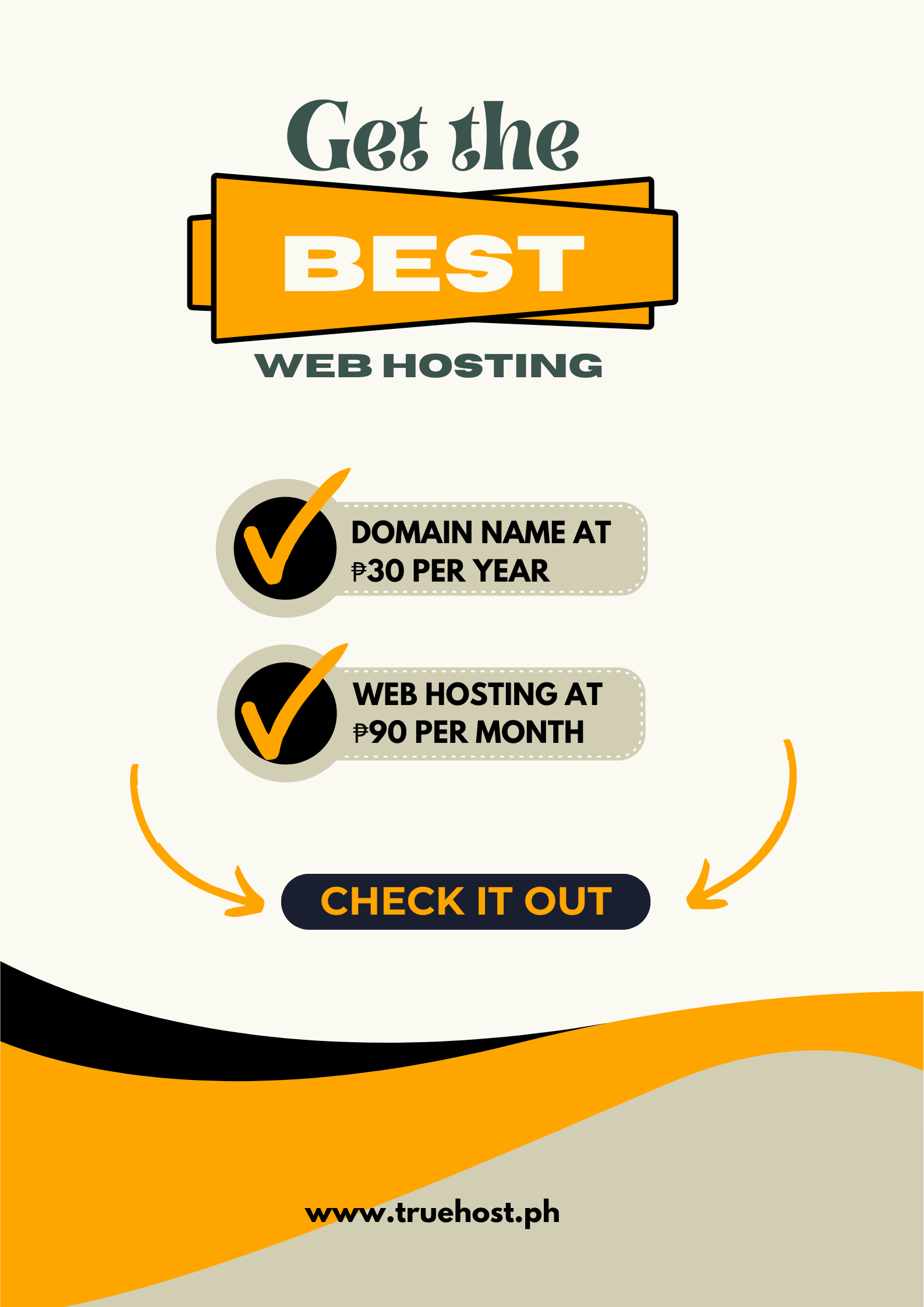
Your first blog post is ready. You spent hours writing it, editing it, finding the perfect photos. Now you need to actually publish it somewhere people can read it.
Then you start looking at hosting options. The prices range from ₱30 to ₱3,000 per month.
Some require technical knowledge you don’t have. Others promise unlimited everything but have reviews about surprise billing.
You just want to publish your blog. Why does this feel so complicated?
I tested hosting from a Filipino blogger’s perspective. That means checking whether the setup is actually beginner-friendly.
Testing if WordPress works smoothly without technical issues. And confirming whether pricing stays affordable when you’re still building your audience.
The right hosting makes starting your blog feel simple. But the wrong hosting makes you give up before publishing your third post. Here’s what Filipino bloggers actually need in 2025.
What Filipino Bloggers Need from Hosting
Moving from the idea of blogging to actually publishing posts means dealing with technical choices you’ve never thought about.
Your hosting determines whether you actually stick with blogging or quit after a month.
Affordable pricing that fits a beginner’s budget
You’re not making money from your blog yet. Hosting that costs ₱1,000/month doesn’t make sense when you’re still learning.
Therefore, you need pricing that lets you blog without stressing about bills.
Simple WordPress setup that actually works
Most Filipino bloggers use WordPress. Your host should install it automatically and keep it running smoothly.
If you need to troubleshoot technical issues weekly, you’ll spend more time fixing problems than writing.
Speed that keeps mobile readers engaged
Most Filipinos read blogs on mobile with inconsistent internet. If your blog takes five seconds to load, readers leave before seeing your content.
Your hosting needs to compensate for slower mobile connections.
Storage that grows with your content
Every blog post includes images. Videos if you’re ambitious. You need enough storage for hundreds of posts without hitting limits or paying overage fees.
Support that responds when things break
Blogs break at inconvenient times. Updates fail, plugins conflict, and images won’t upload.
You need support that actually helps instead of sending you to documentation you don’t understand.
How I Tested These Hosting Providers
I set up test blogs on each hosting provider using WordPress, the platform most Filipino bloggers use. Real blogs with posts, images, and plugins bloggers actually install.
WordPress Performance Testing
I installed WordPress on each host and added common blogger plugins like Yoast SEO, contact forms, and image optimization tools.
Some hosts handled this smoothly. Others had compatibility issues or performance problems.
My benchmark: WordPress should install in one click and run smoothly with 10-15 common plugins. If basic setup causes problems, that’s a red flag.
Speed Testing for Mobile Readers
I used Pingdom to test load times from Manila, Cebu, and Davao on both desktop and mobile connections.
Most Filipino readers use mobile, so mobile speed matters more than desktop performance.
My benchmark: Under 3 seconds on mobile from major Philippine cities. Anything slower loses readers before they see your content.
Storage and Bandwidth Reality Check
I checked what unlimited actually means and tested bandwidth limits with traffic spikes. Many hosts advertise unlimited but have hidden restrictions.
My benchmark: Enough storage for 500+ blog posts with images. Bandwidth that handles 10,000+ monthly visitors without throttling or overage fees.
Best Web Hosting for Bloggers in the Philippines
These providers delivered reliable performance for Filipino bloggers over three months of testing.
1) Truehost Philippines
Best for: Filipino bloggers who want reliable hosting without budget stress.
Price: Starting at ₱90/month.
Truehost Philippines delivered the most consistent blogging performance in testing.
WordPress installed smoothly, sites stayed fast even with multiple plugins, and support responded quickly when I had questions.
What made the difference: peso pricing that stays consistent, WordPress optimization that actually works, and support that understands common blogger problems.
Speed test results:
- Manila: 2.1 seconds average load time
- Cebu: 2.4 seconds average load time
- Davao: 2.6 seconds average load time
Key blogging features:
- One-click WordPress installation
- WordPress-optimized servers
- Free SSL certificate
- cPanel for easy management
- Unlimited bandwidth
- Daily backups included
- Email accounts included
- ₱ billing with no forex fees)
- 24/7 live chat support
- Free blog migration
Uptime: 99.96% over three months.
| Pros | Cons |
| Most affordable starting price | Smaller company vs international brands |
| WordPress runs smoothly | Dashboard simpler than premium hosts |
| Peso pricing | Limited data center locations | |
| Fast support response |
Who should choose Truehost Philippines:
Filipino bloggers starting their first blog who need reliable hosting that won’t break their budget. Best if you want hosting that just works without technical headaches.
2) Hostinger
Best for: Bloggers testing whether blogging works for them.
Price: Starting at ₱149/month which renews at ₱449/month
Hostinger offers affordable starting prices with solid WordPress performance. Their custom control panel is simpler than cPanel, making it beginner-friendly.
Speed test results:
- Manila: 2.6 seconds average load time
- Cebu: 2.9 seconds average load time
- Davao: 3.1 seconds average load time
Key blogging features:
- One-click WordPress
- Custom hPanel (simpler than cPanel)
- 100GB storage
- Weekly backups
- Free SSL certificate
- Email hosting
Uptime: 99.94% over three months.
| Pros | Cons |
| Low starting price | Renewal price triples |
| Simple control panel | Servers outside Philippines |
| Good for testing blog ideas | Support via tickets only |
Who should choose Hostinger: Bloggers testing whether they’ll stick with blogging before committing to long-term hosting.
3) SiteGround
Best for: Serious bloggers who need maximum speed.
Price: Starting at ₱299/month and renews at ₱1,099/month.
SiteGround delivered the fastest WordPress performance in testing. Their WordPress-specific features include staging environments and automatic caching that keeps blogs loading fast.
Speed test results:
- Manila: 1.9 seconds average load time
- Cebu: 2.2 seconds average load time
- Davao: 2.4 seconds average load time
Key blogging features:
- WordPress staging environment
- Free SSL and daily backups
- Built-in WordPress caching
- Cloudflare CDN included
- Automatic WordPress updates
- 24/7 priority support
Uptime: 99.98% over three months.
| Pros | Cons |
| Fastest WordPress speeds | Renewal price increases significantly |
| WordPress-specific tools | There are no Philippine servers |
| Excellent documentation | USD billing |
Who should choose SiteGround: Bloggers already getting steady traffic who need premium performance and have a budget for renewal costs.
4) Bluehost
Best for: Complete blogging beginners.
Price: Starting at ₱899/month and renews at ₱1,299/month.
Bluehost is officially recommended by WordPress and makes blog setup as simple as possible. Their onboarding guides you through every step.
Speed test results:
- Manila: 2.8 seconds average load time
- Cebu: 3.1 seconds average load time
- Davao: 3.3 seconds average load time
Key blogging features:
- Automatic WordPress installation
- Free domain first year
- Free SSL certificate
- WordPress.org recommended
- Step-by-step setup guide
- 24/7 support
Uptime: 99.92% over three months.
| Pros | Cons |
| Easiest WordPress setup | Slowest speeds in testing |
| WordPress.org recommended | US servers only |
| Beginner-friendly dashboard | Aggressive upselling |
Who should choose Bluehost: Complete beginners who want the simplest possible WordPress blog setup and prioritize ease over performance.
5) Namecheap
Best for: Budget bloggers who need basic reliability.
Price: Starting at ₱175/month.
Namecheap offers straightforward WordPress hosting without premium features or premium prices. Good for bloggers who need basics to work reliably.
Speed test results:
- Manila: 2.7 seconds average load time
- Cebu: 3.0 seconds average load time
- Davao: 3.2 seconds average load time
Key blogging features:
- One-click WordPress
- Free SSL certificate
- Automatic backups
- cPanel included
- Email accounts included
Uptime: 99.93% over three months
| Pros | Cons |
| Affordable throughout | Basic features only |
| Straightforward pricing | US servers |
| There are no surprise fees | Limited support options |
Who should choose Namecheap: Bloggers who need basic hosting to work reliably without paying for features they won’t use.

Blog Hosting Comparison Table
| Provider | Starting price | Renewal price | Setup time | Uptime | Best for |
| Truehost | ₱90/month | ₱90/month | 5 mins | 99.96% | Budget reliability |
| Hostinger | ₱149/month | ₱449/month | 10 mins | 99.94% | Testing blogging |
| SiteGround | ₱299/month | ₱1,099/month | 15 mins | 99.98% | Maximum speed |
| Bluehost | ₱899/month | ₱1,299/month | 10 mins | 99.92% | Easiest setup |
| Namecheap | ₱175/month | ₱175/month | 10 mins | 99.93% | Basic needs |
3 Mistakes Filipino Bloggers Make When Choosing Hosting
Choosing hosting before understanding what you actually need
New bloggers often buy expensive hosting with features they’ll never use. Start with basic hosting that handles WordPress and 10,000 monthly visitors. You can upgrade when traffic justifies it.
Ignoring renewal prices when calculating costs
Many hosts advertise ₱149/month but renew at ₱449/month. That’s ₱3,600 extra per year you didn’t budget for. Always check renewal pricing before committing to multi-year plans.
Picking hosting based on storage instead of performance
Unlimited storage sounds great until you realize your blog loads slowly and readers leave. Fast loading speeds matter more than storage limits for most bloggers.
How Much Does Blog Hosting Really Cost in the Philippines?
Starting costs: ₱90-₱900/month for beginner hosting.
Truehost Philippines charges ₱90/month and Hostinger charges ₱149/month sit at the budget end. Bluehost which charges ₱899/monthsits at the premium end.
Renewal costs: This is where costs can surprise you.
Hostinger jumps from ₱149 to ₱449/month. SiteGround jumps from ₱299 to ₱1,099/month. Truehost Philippines and Namecheap stay consistent.
Domain costs: Add ₱500-₱800/year for your domain. For example, yourblog.com. Some hosts include free domains for the first year.
Most Filipino bloggers spend ₱90-₱300/month on hosting. But Truehost Philippines which charges ₱90/month offers the best value for beginners.
How to Choose Hosting Based on Your Blog Stage
Just starting 0-1,000 monthly readers: Choose Truehost Philippines or Hostinger. You need reliable basics without overpaying. Both handle everything a new blog needs.
Growing 1,000-10,000 monthly readers: Stick with Truehost Philippines or consider SiteGround. Speed matters more now. Slow blogs lose readers and hurt your search rankings.
Established 10,000+ monthly readers: Consider SiteGround or upgrade to VPS hosting. You need resources that handle traffic spikes without slowing down during peak hours.
Frequently Asked Questions
Do I need special WordPress hosting or can I use regular hosting?
Regular shared hosting works fine for WordPress blogs.
WordPress-specific hosting includes automatic updates and WordPress-optimized caching, but it’s not required.
If you’re comfortable with basic blog maintenance, regular hosting like Truehost Philippines or Hostinger works well.
How much traffic can shared hosting handle?
Shared hosting typically handles 10,000-30,000 monthly visitors comfortably. Beyond that, you’ll need VPS or cloud hosting.
Most new Filipino bloggers stay well under this limit for their first year or two.
Will my blog load fast enough for Filipino readers?
Hosting with servers in or near the Philippines like Truehost Philippines delivers faster speeds to Filipino readers.
International hosting works but loads 30-40% slower. If most readers are Filipino, choose Philippine-based hosting.
Should I choose hosting with a free domain?
Free domains are convenient but check renewal pricing first. Some hosts offer free domains for the first year then charge ₱800-₱1,200 at renewal. Others include domains permanently. Read the fine print.
Can I move my blog to better hosting later?
Yes. All these hosts support blog migrations. Many like Truehost Philippines and SiteGround migrate your blog for free. Start with budget hosting and upgrade when your blog justifies it.
Final Recommendation
For most Filipino bloggers, Truehost Philippines offers the best combination of affordability, reliability, and beginner-friendliness.
WordPress setup is simple, pricing stays consistent in pesos, and performance handles everything a growing blog needs.
If you need maximum WordPress speed and have a budget for premium hosting, SiteGround delivers the fastest performance in testing.
But if you’re testing whether blogging works for you before committing, Hostinger provides a low-risk starting point.
Choose hosting based on where your blog is now, not where you hope it will be in two years.
All these hosts let you start simple and upgrade when traffic justifies it.
The important thing is actually starting your blog instead of spending another month researching hosting options.