 Web HostingCost-effective shared hosting solutions
 Reseller HostingStart your own hosting business without tech hustle
 Affiliate ProgramEarn commission by referring customers to our platforms
 cPanel HostingHosting powered by cPanel (Mostly user friendly)
 Windows HostingOptimized for windows based-applications and sites
 Domain SearchFind and register available domain names in seconds
 Email HostingProfessional email hosting for your domain (Secure, reliable, and easy to manage)
 WordPress HostingLightning-Fast, Optimized WordPress Hosting
 All DomainsExplore and register domain extensions across the world
 PH DomainsBuy trusted .ph domains tailored for Philippines businesses and individuals
 Domain Transfermove your domain to us with zero downtime and full control
 Whois LookupLook up domain ownership, expiry dates and registrar information
 SSL CertificatesSecure your website with trusted SSL Certificates for data protection and customer trust.
 .com DomainSecure the most recognized domain for global credibility
 VPS HostingScalable virtual servers. Full root access. Faster speed.
 Managed VPSNot a tech expert? Choose our fully managed VPS server.
 Dedicated ServersGet the full power and complete control of your own physical server.
 AI Websites BuilderCreate beautiful websites instantly with AI.
 Online Shop BuilderBuild a professional online shop. No coding required.
 Web Design ServiceGet a custom-designed website tailored to your brand and goals.
 BlogExplore guides on web hosting, online business, digital marketing, and more
 Contact UsReach us anytime by chat or email
 SupportFind answers and guides for all our services
Did you know that over 60% of website owners in the Philippines eventually transfer their domains at least once? Why? Because switching registrars can mean better prices, stronger security, and faster support.
Thinking about moving your website to another provider? You’re not alone; thousands of businesses in the Philippines do the same to get more value for their online presence.
In this guide, we’ll walk you through how to transfer a domain step by step, what requirements you need to meet, and how the process works for both local.PH domains and international ones like.COM.
Understanding Domain Transfer
A domain is simply your website’s address, for example, example.com or example.ph.
When you transfer a domain, you’re moving the management of that domain from one registrar (company) to another.
Your website and emails remain the same.
Only the control panel and billing move to the new provider.
If done correctly, there’s no downtime; your site and email keep working during the process.
Why Transfer Your Domain?
A domain transfer happens when you move your domain name from one registrar (the company where it’s currently managed) to another.
At first, it may sound like extra work, but in reality, transferring your domain can save you money, improve your website’s performance, and give you more control.
Here are the most common reasons why website owners in the Philippines choose to transfer their domains:
- Lower renewal or management fees
Some registrars charge high renewal rates after the first year.
By transferring, you can take advantage of more affordable pricing and transparent billing.
- Better customer support
If you’re tired of long response times or unhelpful support, moving to a registrar with 24/7 assistance ensures your domain issues are resolved quickly.
- Simpler domain management tools
User-friendly dashboards make it easier to update DNS records, renew domains, and manage multiple websites in one place.
- Bundled services for convenience
Many businesses prefer to keep everything under one provider, domain, hosting, SSL certificates, and even business emails.
This makes management smoother and reduces the chances of technical errors.
At Truehost PH, we specialize in making domain transfers fast, secure, and affordable.
Whether you’re moving a .PH domain or a global extension like .COM, our platform ensures a smooth experience from start to finish.
👉 Transfer your.PH domain today
General Steps to Transfer a .COM Domain
A . The .com domain is one of the most common domain extensions worldwide. The good news is that .COM transfers follow the same global rules, which means you can transfer yours to any registrar, including those in the Philippines.
Here’s how to do it step by step:
- Check if your domain qualifies
- The domain must be at least 60 days old.
- It should not be too close to expiration. Ideally, start the process at least 10–15 days before expiry to avoid issues.
- The domain must be at least 60 days old.
- Update your contact details
- Log in to your current registrar account.
- Make sure the admin email is correct because all transfer confirmations will go there.
- Log in to your current registrar account.
- Unlock your domain
- Most registrars keep domains “locked” for security.
- You’ll find the unlock option in your account settings.
- Most registrars keep domains “locked” for security.
- Get the EPP/Auth code
- This is your transfer key (sometimes called an authorization code).
- Request it from your old registrar. Some provide it instantly, while others send it by email.
- This is your transfer key (sometimes called an authorization code).
- Start the transfer at your new registrar
- Go to your chosen registrar’s transfer page (for example, Truehost PH’s domain transfer page).
- Enter your domain name and the EPP code.
- Pay the transfer fee
- The fee usually adds an extra year to your registration.
- Think of it as renewing your domain but with better services included.
- The fee usually adds an extra year to your registration.
- Approve the transfer
- You’ll get an email confirmation request.
- Click “Approve” to begin the move.
- You’ll get an email confirmation request.
The entire process takes 5–7 business days, and your website will remain online the whole time.
The same process applies to other international domains such as . NET, ORG, and .INFO.
Transferring.PH Domains in the Philippines
If you’re running a local business or targeting Filipino customers, a .PH domain makes your website instantly recognizable.
It signals to visitors that your business is based in the Philippines.
The transfer steps are similar to .COM, but here’s what to note:
- .PH domains are open to everyone. You don’t need a local address.
- Transfers are managed by DotPH, the official registry, but you process them through registrars like Truehost PH.
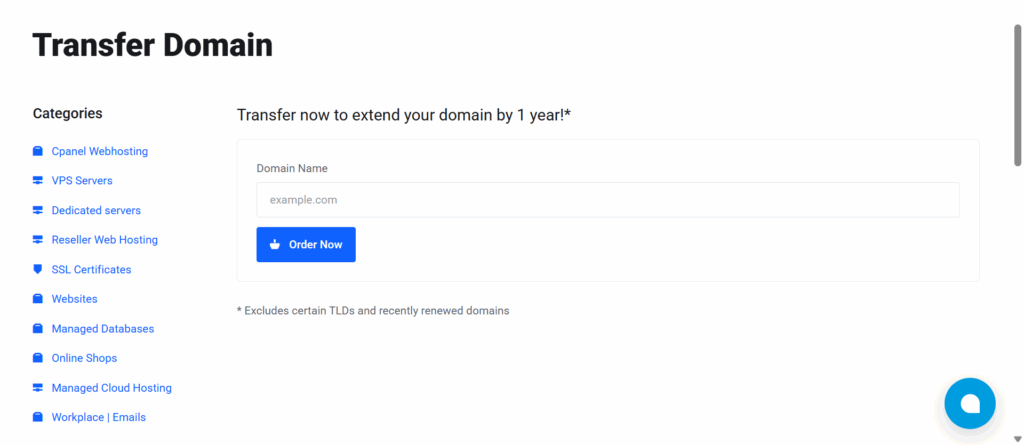
Steps to transfer a .PH domain:
- Unlock your .PH domain at your current registrar.
- Request the EPP/Auth code.
- Go to your new registrar’s website and begin the transfer.
- Enter the authorization code and pay the transfer fee.
- Confirm the request via the email sent to your registered address.
Transfers usually take 5–7 business days.
Sub-extensions such as .COM.PH, .NET.PH, and .ORG.PH follow the same process.
Costs Involved in Domain Transfers
Prices depend on the extension and registrar. Here’s a breakdown for the Philippine market:
A .COM domain usually costs between ₱500 and ₱800 to transfer, and the fee already includes a one-year renewal.
For .PH domains, the transfer cost is higher, typically ranging from ₱2,000 to ₱3,000, with one additional year of registration included.
The same applies to .NET.PH domains, which also fall within the ₱2,000 to ₱3,000 range and add a year to your registration upon transfer.
✅ At Truehost PH, there are no hidden fees. You get transparent pricing and a free 1-year extension on every domain you transfer.
If you’re moving multiple domains, check for bulk transfer deals to save even more.
Common Issues and How to Avoid Them
Domain transfers are usually smooth, but a few issues can cause delays:
- Locked domain → Always unlock before starting.
- Wrong EPP code → Double-check or request a new one.
- Privacy protection enabled → Turn it off so the system can verify your email.
- Recent changes → Domains registered or updated in the last 60 days cannot be transferred.
- Expired domain → Renew it first, then transfer.
- Email issues → Ensure you have access to the admin email and confirm every message.
At Truehost PH, our support team is always ready to guide you through these steps if you get stuck.
Why Choose Truehost PH for Your Domain Transfer?
You don’t just need a registrar; you need a reliable partner in the Philippines. That’s where we come in.
At Truehost PH, we:
- Offer some of the lowest domain transfer costs in the market
- Give you an extra year of registration for free
- Provide 24/7 customer support in your time zone
- Include add-ons like SSL, hosting, and professional email services
Conclusion
Transferring a domain may seem technical at first, but once you understand the steps, it’s a straightforward process.
Whether you’re moving a .COM domain or a .PH domain, the key is preparation, making sure your domain is unlocked, your contact details are correct, and you have your EPP code ready.
The benefits are clear: lower costs, better customer support, easier management tools, and the chance to keep everything, domain, hosting, and email, under one reliable provider.
At Truehost PH, we make domain transfers simple, secure, and affordable for businesses and individuals in the Philippines.
With transparent pricing, a free extra year on every transfer, and 24/7 expert support, you can move your domain with confidence.
Don’t wait until renewal catches you by surprise. Transfer your domain to Truehost PH today and take control of your online presence.